




The 2026 prosumer monitor sweet spot sits between dedicated office displays and flagship gaming panels: filter for at least 95% DCI-P3 coverage with Delta E under 2 for accurate creative work, 144Hz or higher refresh with dual-mode switching capability for smooth gaming, USB-C Power Delivery of 90W or more for single-cable laptop charging, DisplayPort 2.1 for uncompressed high-bandwidth signals, and TÜV Rheinland Eye Comfort certification to handle 8-plus-hour hybrid days. This combination avoids brand-driven overpaying while delivering 90% of flagship performance for most remote workers who design by day and game by night. The key is using a structured filter rather than chasing peak specs that create daily friction.

1. The 2026 Prosumer Baseline: Display Quality & Panel Tech
For color-accurate creative work paired with HDR gaming, start your filter with three non-negotiable display specs. Look for panels covering 95% or more of the DCI-P3 color space and achieving a Delta E below 2. These thresholds ensure that design files, video edits, and photographs appear consistent across devices, which matters when your daytime deliverables must match client expectations (What Delta E Values Actually Mean for Your Creative Work).
Next, move beyond generic HDR400 labels and filter specifically for VESA DisplayHDR 1.2 certification. As the VESA DisplayHDR 1.2 specification update explains, this standard tightens color volume, black-level performance, and calibration requirements so that HDR content in games and media looks convincing rather than washed out.
Panel choice introduces the 90% Rule for hybrid users. Mini-LED backlights deliver roughly 90% of OLED's contrast pop and sustained brightness above 1000 nits, yet they remove burn-in risk during long static UI sessions such as spreadsheets, code editors, or Slack windows. In sunlit home offices or workflows exceeding six hours of unchanging desktop elements, Mini-LED becomes the pragmatic default because it avoids the maintenance cycles and hidden UI adjustments that OLED can trigger (Mini-LED IPS vs. Standard IPS: Is the Advanced Backlight Worth the Upgrade?). OLED remains superior in completely dark rooms for pure cinematic gaming, but most hybrid setups favor Mini-LED's balance of brightness, longevity, and zero anxiety.
2. Motion Performance: Filtering for the Dual-Mode Sweet Spot
Hybrid users no longer need to compromise between sharp 4K text for work and high frame rates for competitive play. Dual-mode monitors that switch between 4K at 160Hz and 1080p at 320Hz or higher have become a defining 2026 prosumer feature. This capability lets you keep pixel-dense clarity during productivity hours and instantly drop resolution for maximum refresh and minimal input lag when gaming (IPS vs VA Panels: Which is Right for Your Playing Style?).
Set your baseline refresh filter at 144Hz to 160Hz. Below this range, motion in both fast-paced games and scrolling documents feels noticeably less fluid. Response times around 5ms gray-to-gray further reduce ghosting without introducing the overshoot that can distort fine text. These specs matter because input lag and frame pacing combine to roughly 10-20% of typical human reaction time in esports; shaving those milliseconds improves consistency once your fundamentals are solid.

3. Connectivity Filters: Powering the Single-Cable Desk
A true prosumer hybrid desk runs on one cable. Filter for USB-C Power Delivery rated 90W to 140W (USB PD 3.1). This range keeps high-performance creator laptops fully charged while simultaneously driving a 4K display and peripherals; 65W chargers often throttle under sustained load (How a USB-C Monitor Can Streamline Your Workspace). The USB Power Delivery 3.1 specification confirms that extended power range is now expected for workstation-class monitors.
Pair that with DisplayPort 2.1, which supports the full bandwidth needed for uncompressed 4K at high refresh rates and 10-bit color. Older standards frequently force DSC compression that can introduce subtle artifacts in both professional color work and fast-motion gaming. The VESA DisplayPort 2.1 announcement details the UHBR data rates that eliminate those trade-offs.
Finally, built-in KVM functionality or at least easy input switching becomes essential when you alternate between a work laptop and gaming PC. These connectivity filters eliminate dongle clutter and reduce setup time from minutes to seconds.
4. Ergonomics & Health: Surviving the 12-Hour Shift
Long hybrid days amplify posture and eye-strain risks. Filter for TÜV Rheinland Eye Comfort 2.0 or hardware-level low blue light certification. These standards require flicker-free backlighting and calibrated blue-light reduction that preserves color accuracy instead of applying heavy yellow filters. The TÜV Rheinland Eye Comfort program sets measurable limits that meaningfully reduce fatigue during eight-plus-hour sessions.
Stand quality completes the picture. Full adjustability—height, tilt, swivel, and pivot—lets you maintain neutral neck position whether typing reports or leaning in for precision aiming. If your desk already has a VESA arm, confirm 100x100mm compatibility, but most users benefit from an included ergonomic stand on day one (Home Office Setup Guide: How to Choose the Right Ergonomic Monitor).
5. The Hidden Cost: Filtering Out the 'Toggle Tax'
High panel specs lose value when daily mode switching becomes frustrating. The Toggle Tax describes the repeated OSD navigation required to disable local dimming for crisp text in productivity apps and re-enable it for HDR gaming. Many value-focused monitors deliver excellent hardware at lower prices but rely on physical joysticks that demand 4-5 clicks per switch. Over weeks this friction leads users to leave the monitor in a compromised SDR mode permanently.
This chart visualizes the pattern:
Toggle Tax vs. Value Fit for Hybrid Monitors
Use this as a decision aid: higher raw value does not help if the daily software workflow is low-friction only when mode switching is easy.
View chart data
| Scenario | Low | Medium | High |
|---|---|---|---|
| Low | 3.0 | 2.0 | 1.0 |
| Medium | 2.0 | 2.0 | 2.0 |
| High | 1.0 | 2.0 | 3.0 |
Prioritize monitors offering dedicated macro buttons, strong DDC/CI support for desktop software control, or at minimum an intuitive joystick. Third-party tools can sometimes reduce friction, although compatibility depends on firmware. If a monitor lacks convenient toggling, even impressive peak brightness and local-dimming zones become theoretical. This filter often separates monitors that stay in daily rotation from those that collect dust.
6. The 2026 Prosumer Shortlist: KTC's Hybrid Standouts
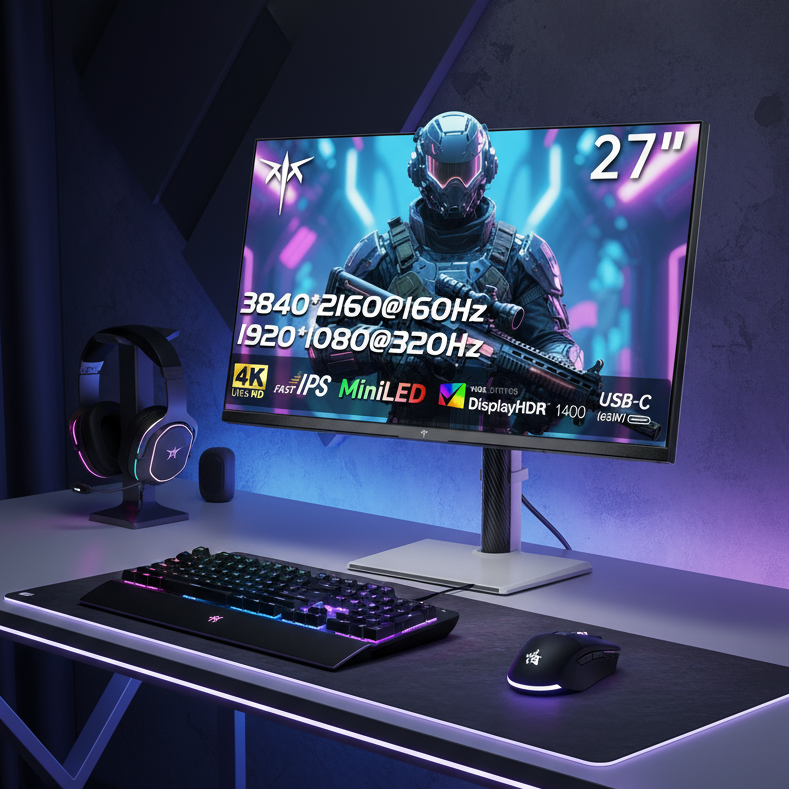
Applying the filters above to current options yields several balanced choices. The KTC M27P6 delivers 4K Mini-LED performance with 160Hz refresh, strong HDR capability, full ergonomic stand, and 90W USB-C in one package. Its local dimming zones and color accuracy suit both sustained creative work and console or PC gaming without requiring constant menu adjustments.
For users who refuse any resolution compromise, the KTC H27P6 provides true dual-mode operation: native 4K at 160Hz for productivity and 1080p at 320Hz for competitive titles. The included full-range stand and single-cable connectivity make it a practical one-monitor solution.
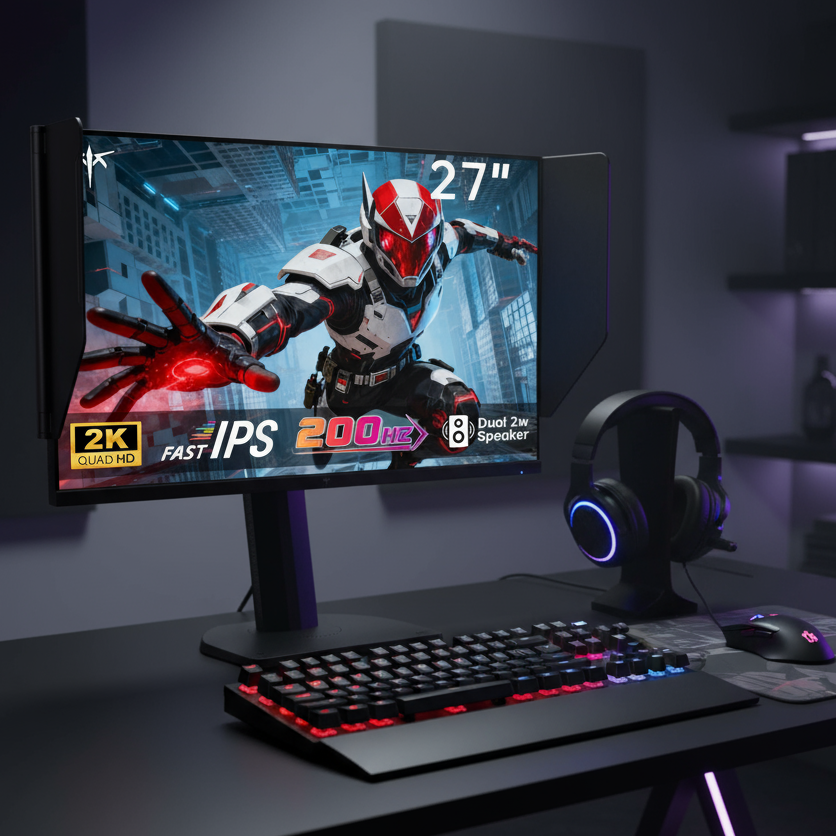
Budget-conscious buyers balancing color and motion can consider the KTC M27T6S. This 1440p Mini-LED model reaches 200Hz, maintains excellent DCI-P3 coverage, and includes the same ergonomic adjustments while staying well under flagship pricing. Each of these models meets the core connectivity, health, and low-friction criteria outlined earlier; verify current firmware for optimal DDC/CI behavior before purchase.
Quick Filtering Checklist for Ecommerce Listings
Use this checklist when scanning product pages or retailer filters:
- Resolution and refresh: 4K 144Hz minimum or dual-mode 4K/160Hz + 1080p/320Hz
- Color: 95%+ DCI-P3 and factory Delta E < 2 (look for calibration reports)
- HDR: VESA DisplayHDR 1.2 or equivalent CTS 1.2 rating
- Connectivity: USB-C with 90W+ PD 3.1 and DisplayPort 2.1
- Health: TÜV Rheinland Eye Comfort or hardware low blue light
- Ergonomics: height, swivel, and pivot adjustment or VESA 100x100mm ready
- Controls: dedicated HDR/SDR shortcut, DDC/CI support, or software companion app
- Panel: Mini-LED for bright rooms and static UI; confirm no burn-in warranty disclaimers if OLED
Any monitor missing two or more of these items is likely to create regret in hybrid use.
Decision Framework: Match Your Workflow to the Right Filter Tier
Score your typical day across three variables: hours of static UI work, room brightness, and gaming competitiveness. If static UI exceeds six hours or your office receives direct daylight, prioritize Mini-LED with easy mode toggling over pure OLED contrast. If you frequently switch between a work laptop and gaming desktop, insist on robust KVM or single-cable USB-C plus fast input switching. Competitive players should treat dual-mode capability as non-negotiable to avoid owning two monitors.
When budget tightens, cut peak brightness or zone count before sacrificing color accuracy, refresh rate, or control convenience. The monitors that survive all filters deliver the prosumer promise: one display that feels premium for both work and play without the flagship tax. Check your current desk setup against the checklist above, then apply these exact specs when comparing listings. The right filter turns spec overload into a shortlist of genuinely useful upgrades.
What Is the Minimum Refresh Rate for a 2026 Prosumer Hybrid Monitor?
144Hz to 160Hz is the practical floor. Lower rates make both scrolling documents and in-game motion feel laggy compared with modern laptops and GPUs. Dual-mode models that also support 320Hz at reduced resolution give competitive players headroom without forcing a second display.
Does Mini-LED or OLED Better Suit Hybrid Work and Gaming?
Mini-LED is usually the safer choice for users spending more than half their day on static interfaces or working in brighter rooms. It avoids burn-in risk and maintains higher sustained brightness. OLED excels in dark-room movie and single-player gaming but can require UI hiding or screen savers that interrupt creative flow. The 90% Rule holds: Mini-LED delivers most of the visual impact with none of the long-term anxiety for mixed workloads.
How Important Is USB-C Power Delivery for Prosumer Monitors?
It is essential for single-cable setups. 90W or higher (PD 3.1) keeps high-end creator laptops charged while driving 4K output and peripherals. Monitors limited to 65W often force users to keep the original charger plugged in, defeating the purpose of a clean hybrid desk.
What Does the Toggle Tax Actually Cost in Daily Use?
It costs attention and time. Repeated OSD dives to change local dimming or HDR settings break focus during mode switches that happen several times per day. Monitors with macro keys, reliable DDC/CI software, or one-touch profiles eliminate this tax; those without it often end up stuck in a single suboptimal mode.
Should I Buy a Dual-Mode Monitor If I Only Game Casually?
Only if the price difference is small. Dual-mode capability adds future-proofing and maximum smoothness for esports titles, but casual players achieve excellent results with a single high-refresh 4K or 1440p panel. Prioritize color accuracy, ergonomics, and easy controls first; the dual-mode advantage shines mainly for users who alternate between precision work and competitive ranked play.
How Do I Check Real-World Toggle Tax Before Buying?
Read recent user reports for the specific model on forums and review sites, focusing on OSD navigation speed and DDC/CI compatibility. Test any demo unit in-store by switching between SDR and HDR modes multiple times. Confirm whether the manufacturer provides desktop software or only relies on the physical joystick.


